 IFINUS
Inventory
No stock surprises: the system warns you before you run out.
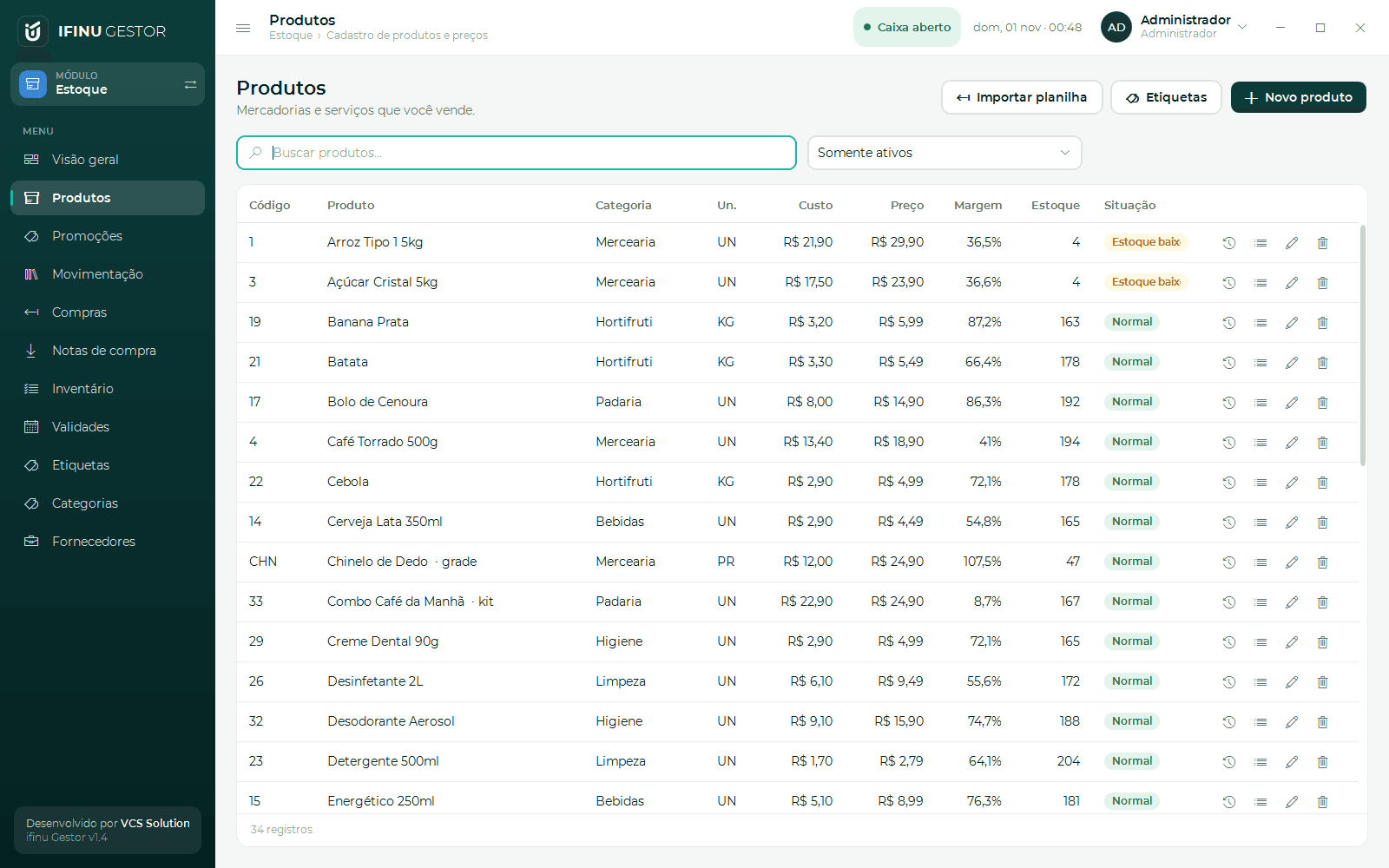
Products with variants and kits, purchases from XML, stocktaking and labels.
How it works
The way your day really goes
- 1
Add or import
Products with barcode, variants (color and size), kits and location in the store.
- 2
Receive from the invoice
Import the supplier's XML (or, in Brazil, download invoices from SEFAZ): stock and payables in one click.
- 3
Sell and track
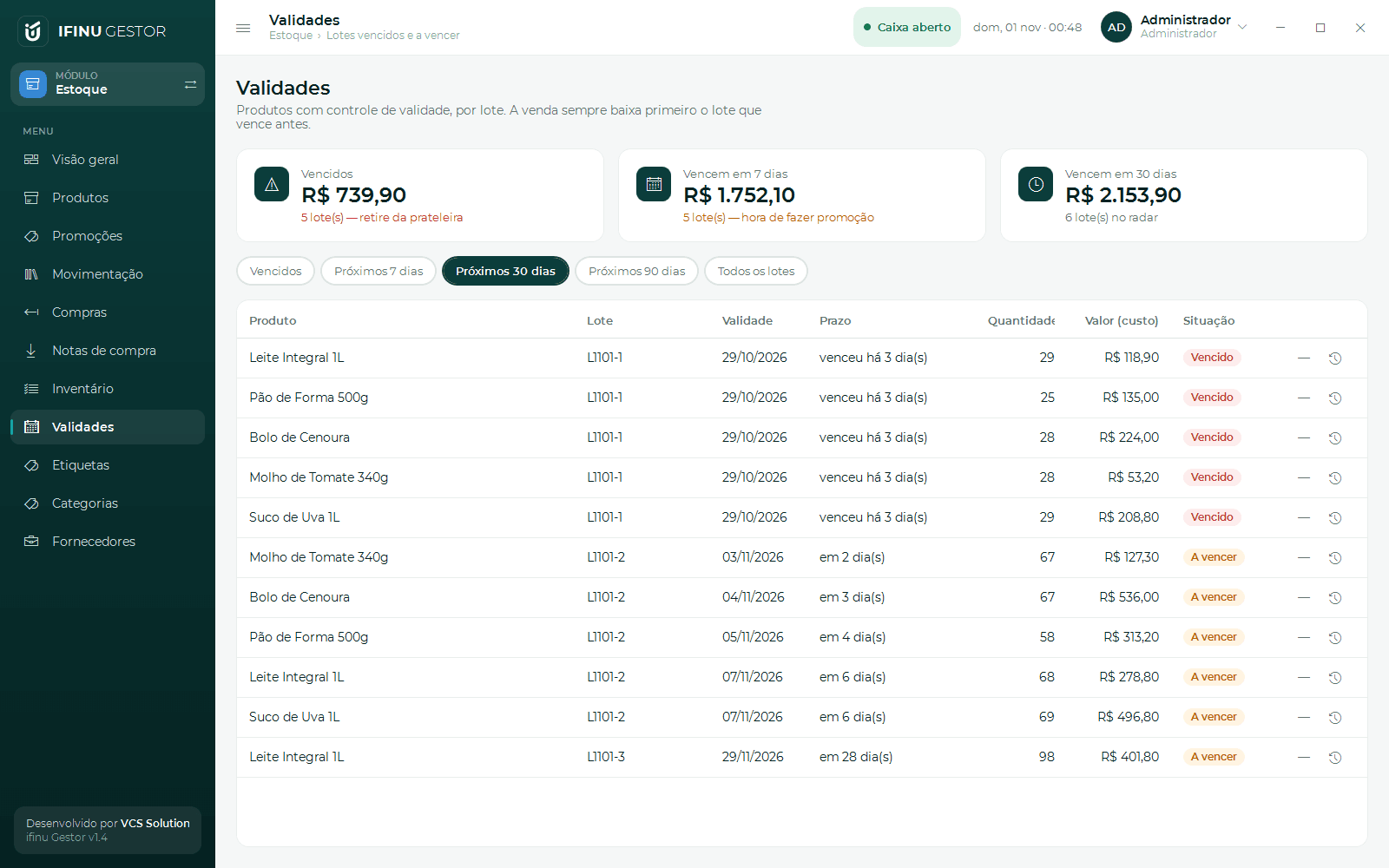
Every sale lowers the stock; alerts for minimum stock, batch expiry and slow movers.
- 4
Restock wisely
Purchase suggestions based on the last 30 days of sales and the ABC curve of best sellers.
Features
What comes with Inventory
SEFAZ purchase invoices (Brazil)
Acknowledge and download the XML files issued against your company tax ID.
Expiry by batch
Expired and soon-to-expire batches, to promote before you lose them.
Stocktaking with scanner
Fast physical count and automatic adjustment of differences.
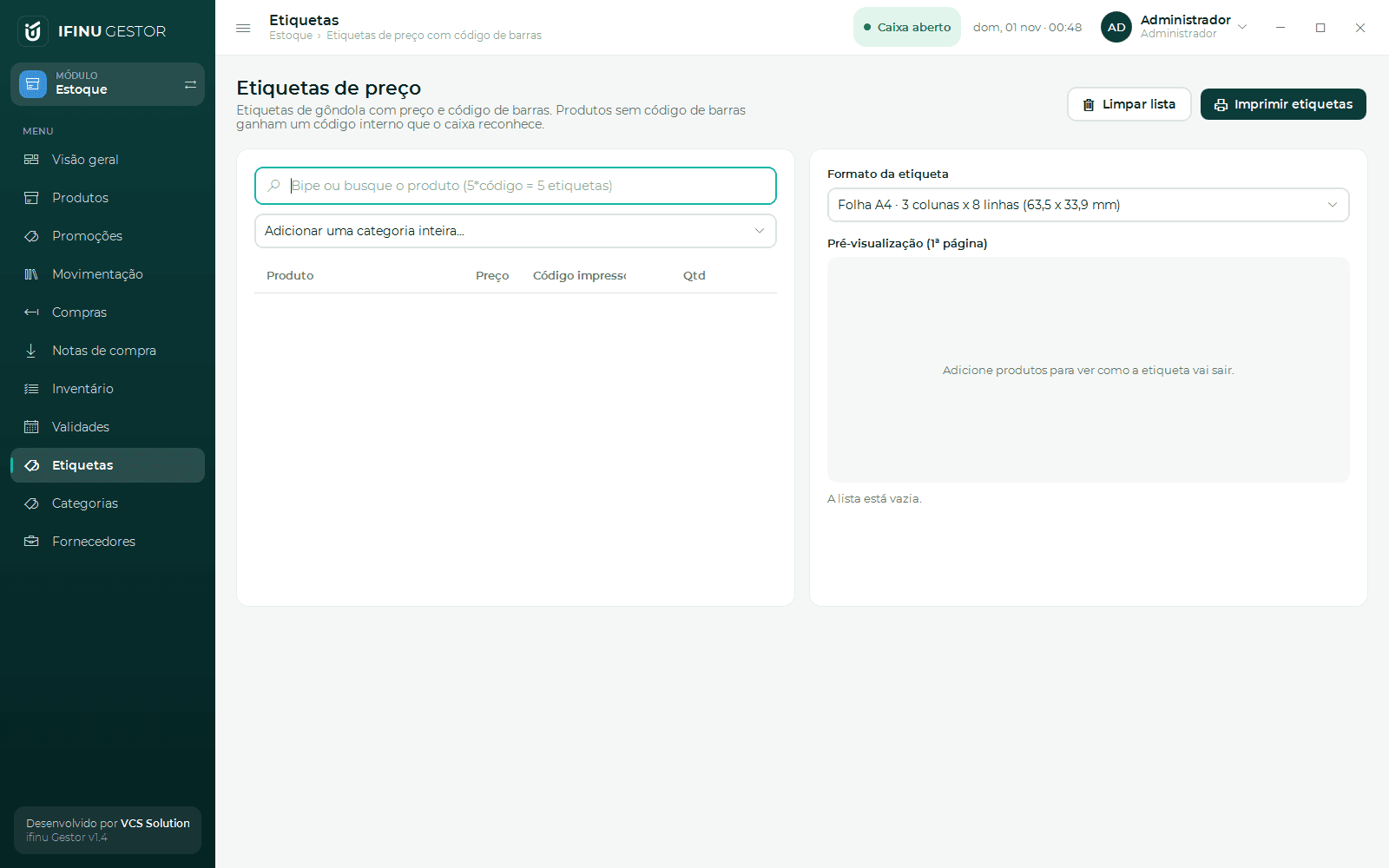
Labels
Price with barcode on A4 sheets or a label printer.
Promotions and wholesale
Discount, fixed price, buy X pay Y, happy hour and price by quantity.
In every plan. SEFAZ purchase invoices in the Commerce and Complete plans. See pricing